DevTools & Workflow
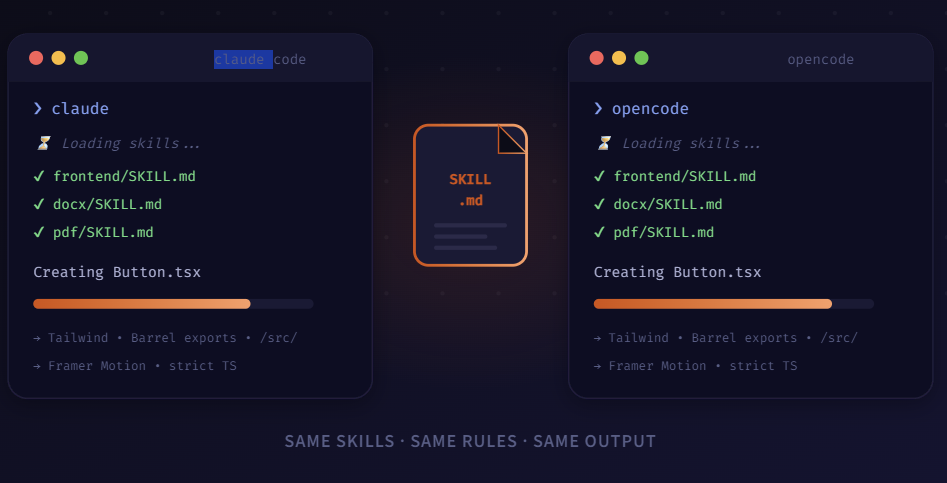
I got tired of my AI tools fighting each other. One followed my project rules, the other didn’t even know they existed. Five minutes later, I’d fixed it for good.
So here’s something that kept nagging me. I’d be deep in a project, ask Claude Code to build a component, and it would nail it — Tailwind classes, the right folder structure, proper TypeScript types, the works. Then I’d pop open Opencode for something quick, like scaffolding a utility, and the output looked… different. Not broken, just different. Wrong folder. No barrel exports. Inline styles instead of Tailwind.
It took me an embarrassingly long time to realize why. Both tools support skill files — little instruction documents that tell the AI how you want your code written. But I had them set up separately. Claude Code was reading my rules. Opencode wasn’t. Basically two coworkers who’d never been introduced.
# The five-second fix: point Opencode at Claude Code's skills
ln -s ~/.claude/skills ~/.opencode/skills

# Sanity check — both should print the same content
cat ~/.claude/skills/frontend/SKILL.md
cat ~/.opencode/skills/frontend/SKILL.md

# Same file. Same rules. Done.
01. The Problem Nobody Talks About
If you’ve ever joined a team that didn’t have a linter configured, you know exactly what this feels like. Half the codebase uses semicolons, the other half doesn’t. Every pull request is a mess of style changes mixed in with actual logic. Except in this case, it’s not two humans disagreeing — it’s your own AI tools contradicting each other.
A skill file is basically a rulebook for your AI agent. You write a SKILL.md that says things like: “Use Tailwind for all styling. Put shared components in /src/components with barrel exports. Always use strict TypeScript.” When the agent reads that file before writing code, it follows your conventions. When it doesn’t read it… well, you get whatever it feels like doing that day.
Claude Code picks up these skills automatically from ~/.claude/skills/. Opencode has its own config path. If you don’t connect them, you end up with two tools that both work fine individually but produce code that looks like it came from different developers.
02. The Fix: One Source of Truth
The idea is dead simple. Instead of maintaining two separate sets of skill files, you symlink one to the other. I keep my canonical set in ~/.claude/skills/ and point Opencode there. Now when I edit a SKILL.md, both tools pick it up instantly.
But the real trick is making skill loading mandatory. Without that, the agent might read your rules, or it might just wing it. With mandatory mode on, the agent literally refuses to write code until it has read and understood the relevant skill file. That’s what turns this from a nice-to-have into an actual workflow.
# Point Opencode at the shared skills folder
skills:
  source: ~/.claude/skills
  mandatory: true            # won't generate code without reading skills first
  scope:
    - frontend               # → loads frontend/SKILL.md
    - docx                   # → loads docx/SKILL.md
    - pdf                    # → loads pdf/SKILL.md

# That's it. Both agents now follow the same playbook:
#   → same libraries, same folder structure
#   → same formatting, same output conventions
#   → no more style drift between tools
Why mandatory: true matters: Without it, skill loading is best-effort — the agent will try to read your rules, but if it’s in a hurry or the context is crowded, it might skip them. With mandatory mode, there’s no shortcut. No skill file read, no code generated. Period. That one flag turns a suggestion into a guardrail.\
03. Getting It Running (Takes 5 Minutes)
- Symlink the directories. This means both tools read from the exact same folder. Any edit you make shows up everywhere instantly.
- Add the config to
opencode.yml. Setmandatory: trueand list the skill scopes you want enforced. That’s the YAML block above. - Test it. Ask both tools to generate the same thing — a button, a utility function, whatever. Compare the output. It should be nearly identical.
04. What Actually Changed
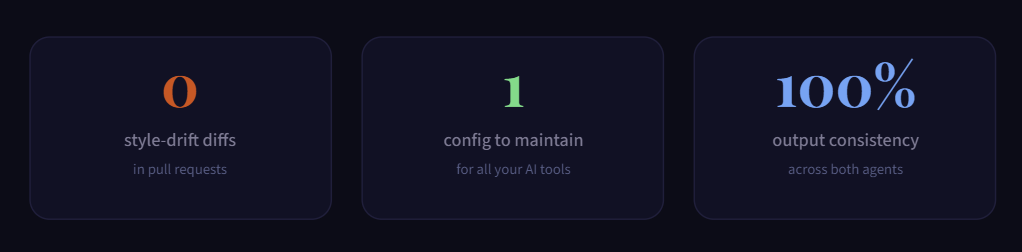
Honestly, the biggest thing I noticed wasn’t technical — it was how much less annoyed I felt. Before this, I’d open a PR and spend ten minutes cleaning up style inconsistencies that shouldn’t have existed in the first place. That’s gone now. Code from Claude Code and code from Opencode look like they came from the same hand.
I use Claude Code for the heavy stuff multi-file refactors, complex architecture decisions, anything that needs deep context. Opencode handles the quick tasks – scaffolding a new endpoint, generating boilerplate, writing tests. The output from both is interchangeable because they’re reading the same playbook.
The whole setup took five minutes. One symlink, one config change, and I stopped thinking about it entirely. If you’re using more than one agentic coding tool — and honestly, most people I know are these days this is the first thing I’d configure. Set it up once, forget about it forever.
· · ·
Software engineer in Toronto