txrxcode

SRE with touch of AI

Category: Uncategorized

  • Syncing Opencode & Claude Code Skills for Mandatory Agentic Workflows

    DevTools & Workflow

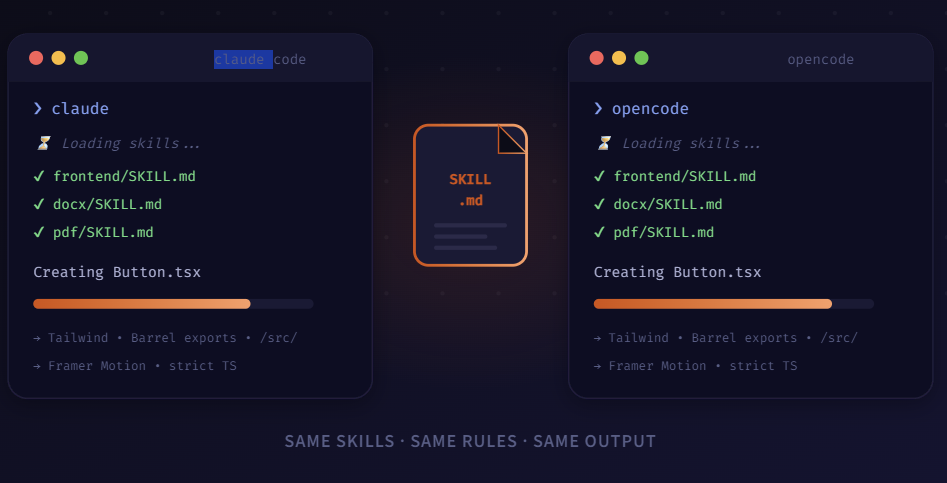
    I got tired of my AI tools fighting each other. One followed my project rules, the other didn’t even know they existed. Five minutes later, I’d fixed it for good.

    So here’s something that kept nagging me. I’d be deep in a project, ask Claude Code to build a component, and it would nail it — Tailwind classes, the right folder structure, proper TypeScript types, the works. Then I’d pop open Opencode for something quick, like scaffolding a utility, and the output looked… different. Not broken, just different. Wrong folder. No barrel exports. Inline styles instead of Tailwind.

    It took me an embarrassingly long time to realize why. Both tools support skill files — little instruction documents that tell the AI how you want your code written. But I had them set up separately. Claude Code was reading my rules. Opencode wasn’t. Basically two coworkers who’d never been introduced.

    # The five-second fix: point Opencode at Claude Code's skills
    ln -s ~/.claude/skills ~/.opencode/skills
    
    # Sanity check — both should print the same content
    cat ~/.claude/skills/frontend/SKILL.md
    cat ~/.opencode/skills/frontend/SKILL.md
    
    # Same file. Same rules. Done.

    01. The Problem Nobody Talks About

    If you’ve ever joined a team that didn’t have a linter configured, you know exactly what this feels like. Half the codebase uses semicolons, the other half doesn’t. Every pull request is a mess of style changes mixed in with actual logic. Except in this case, it’s not two humans disagreeing — it’s your own AI tools contradicting each other.

    A skill file is basically a rulebook for your AI agent. You write a SKILL.md that says things like: “Use Tailwind for all styling. Put shared components in /src/components with barrel exports. Always use strict TypeScript.” When the agent reads that file before writing code, it follows your conventions. When it doesn’t read it… well, you get whatever it feels like doing that day.

    Claude Code picks up these skills automatically from ~/.claude/skills/. Opencode has its own config path. If you don’t connect them, you end up with two tools that both work fine individually but produce code that looks like it came from different developers.

    02. The Fix: One Source of Truth

    The idea is dead simple. Instead of maintaining two separate sets of skill files, you symlink one to the other. I keep my canonical set in ~/.claude/skills/ and point Opencode there. Now when I edit a SKILL.md, both tools pick it up instantly.

    But the real trick is making skill loading mandatory. Without that, the agent might read your rules, or it might just wing it. With mandatory mode on, the agent literally refuses to write code until it has read and understood the relevant skill file. That’s what turns this from a nice-to-have into an actual workflow.

    # Point Opencode at the shared skills folder
    skills:
      source: ~/.claude/skills
      mandatory: true            # won't generate code without reading skills first
      scope:
        - frontend               # → loads frontend/SKILL.md
        - docx                   # → loads docx/SKILL.md
        - pdf                    # → loads pdf/SKILL.md
    
    # That's it. Both agents now follow the same playbook:
    #   → same libraries, same folder structure
    #   → same formatting, same output conventions
    #   → no more style drift between tools

    Why mandatory: true matters: Without it, skill loading is best-effort — the agent will try to read your rules, but if it’s in a hurry or the context is crowded, it might skip them. With mandatory mode, there’s no shortcut. No skill file read, no code generated. Period. That one flag turns a suggestion into a guardrail.\

    03. Getting It Running (Takes 5 Minutes)

    • Symlink the directories. This means both tools read from the exact same folder. Any edit you make shows up everywhere instantly.
    • Add the config to opencode.yml. Set mandatory: true and list the skill scopes you want enforced. That’s the YAML block above.
    • Test it. Ask both tools to generate the same thing — a button, a utility function, whatever. Compare the output. It should be nearly identical.

    04. What Actually Changed
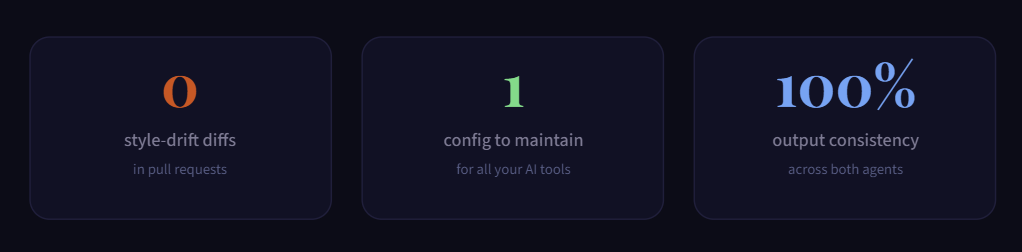
    Honestly, the biggest thing I noticed wasn’t technical — it was how much less annoyed I felt. Before this, I’d open a PR and spend ten minutes cleaning up style inconsistencies that shouldn’t have existed in the first place. That’s gone now. Code from Claude Code and code from Opencode look like they came from the same hand.

    I use Claude Code for the heavy stuff multi-file refactors, complex architecture decisions, anything that needs deep context. Opencode handles the quick tasks – scaffolding a new endpoint, generating boilerplate, writing tests. The output from both is interchangeable because they’re reading the same playbook.

    The whole setup took five minutes. One symlink, one config change, and I stopped thinking about it entirely. If you’re using more than one agentic coding tool — and honestly, most people I know are these days this is the first thing I’d configure. Set it up once, forget about it forever.

    · · ·

    Software engineer in Toronto
  • Syncing Opencode and Claude Code Skills for Mandatory Agentic Workflows

    A structured guide to aligning skill definitions, tool protocols, and shared context between two AI coding agents — so they amplify each other instead of colliding.

    Why sync at all?

    Opencode and Claude Code are both terminal-first AI coding agents, but they live in different runtime contexts. Opencode (by SST) is an open-source, model-agnostic CLI that reads project-level context files. Claude Code is Anthropic’s agentic environment that interprets CLAUDE.md files and skill definitions injected via system prompts or MCP servers.

    When you run both in the same monorepo or multi-agent pipeline, skill drift is the first thing to kill your workflow. One agent enforces a TypeScript strict rule; the other ignores it. One uses a bash tool to scaffold; the other regenerates the same file. Synchronisation isn’t optional — it’s the load-bearing wall of any serious agentic setup.

    Core thesis: Treat skills not as agent-specific configs but as shared contracts. Both agents read from and write to the same skill layer, mediated by a canonical skill directory and an MCP bridge.

    The canonical skill tree

    The simplest synchronisation strategy is a shared skills directory at repo root. Both agents are pointed at the same tree — opencode via its opencode.config.ts context paths, Claude Code via its CLAUDE.md skill references.

    project-root/
    ├── .skills/                       # canonical skill store (shared)
    │   ├── SKILL_INDEX.md             # master registry, read by both agents
    │   ├── core/
    │   │   ├── typescript-strict.md       # oc: enforced on all .ts files
    │   │   ├── error-handling.md          # cc: wrap with Result types
    │   │   └── naming-conventions.md
    │   ├── agents/
    │   │   ├── opencode-manifest.yaml     # oc-specific overrides
    │   │   ├── claudecode-manifest.yaml   # cc-specific overrides
    │   │   └── sync-bridge.yaml           # shared invariants
    │   ├── tools/
    │   │   ├── bash/
    │   │   │   ├── scaffold.md
    │   │   │   └── test-runner.md
    │   │   ├── mcp/
    │   │   │   ├── filesystem-skill.md
    │   │   │   ├── github-skill.md
    │   │   │   └── postgres-skill.md
    │   │   └── search/
    │   │       └── web-search-skill.md
    │   └── workflows/
    │       ├── pr-review.md
    │       ├── feature-scaffold.md
    │       └── bug-triage.md
    ├── CLAUDE.md                          # cc entry: imports .skills/
    ├── opencode.config.ts                 # oc entry: mounts .skills/
    ├── mcp.json                           # shared MCP server registry
    └── src/
        ├── agents/
        │   ├── opencode-runner.ts
        │   └── claudecode-runner.ts
        └── ...

    What a skill file must contain

    For both agents to parse a skill consistently, every .md skill file must follow a shared frontmatter schema. Neither agent should rely on agent-specific fields in the canonical layer — those belong in the agent manifests.

    --- # required YAML frontmatter ---
    name:        typescript-strict
    version:     1.2.0
    triggers:
      - *.ts
      - *.tsx
    scope:       file           # file | project | session
    priority:    mandatory      # mandatory | recommended | optional
    agents:
      - opencode
      - claude-code
    conflicts:   []
    depends:
      - naming-conventions
    ---
    
    # body: human + machine readable instructions
    ## trigger
    Always enabled when editing TypeScript files.
    
    ## behaviour
    - noImplicitAny: true
    - strictNullChecks: true
    - never use `any` unless wrapped in a branded type
    
    ## verification
    Run `tsc --noEmit` before marking task complete.

    Wiring each agent to the shared tree

    opencode

    opencode.config.ts

    Use the context array to mount .skills/**/*.md. Opencode prepends all matched files into the model context window automatically.

    claude code

    CLAUDE.md

    Use the @path import syntax to pull skill files. Claude Code’s skill loader respects the frontmatter priority field — mandatory skills are injected first.

    // opencode.config.ts
    export default defineConfig({
      context: [
        '.skills/SKILL_INDEX.md',
        '.skills/core/**/*.md',
        '.skills/agents/opencode-manifest.yaml',
        '.skills/tools/mcp/*.md',
        '.skills/workflows/*.md',
      ],
      model: 'anthropic:claude-sonnet-4-5',
      mcpServers: import('./mcp.json'),
    })
    
    // CLAUDE.md (top of file)
    # project skills
    @.skills/SKILL_INDEX.md
    @.skills/core/typescript-strict.md
    @.skills/core/error-handling.md
    @.skills/agents/claudecode-manifest.yaml
    @.skills/tools/mcp/filesystem-skill.md
    @.skills/workflows/feature-scaffold.md

    The six mandatory skills for agentic workflows

    Not every skill is optional. These six classes must be loaded by both agents on every session. Without them, agents make conflicting assumptions that compound across long tasks.

    skill class purpose key invariant agent
    code-conventions Shared style rules, naming patterns, file layout Neither agent renames or restructures without reading this first
    tool-registry Which tools are available, their call signatures Agents never invent tool calls outside the registry
    file-authority Which agent owns which paths No two agents write to the same file without a handoff protocol
    test-contract Test coverage rules, assertion style, test runner commands Task is never “done” until tests pass per this contract
    error-taxonomy Canonical error types, Result wrapping, logging format Agents never swallow errors silently; always propagate per taxonomy
    handoff-protocol How agents transfer state, context, and partial work All inter-agent hand-offs use a structured HANDOFF.md file

    The handoff skill: structure of inter-agent state

    The most overlooked mandatory skill is the handoff protocol. When Opencode delegates to Claude Code (or vice versa), it must write a machine-parseable HANDOFF.md to a well-known path. The receiving agent reads this before acting.

    // .skills/workflows/handoff-protocol.md
    ---
    name:     handoff-protocol
    priority: mandatory
    agents:   [opencode, claude-code]
    ---
    
    ## HANDOFF.md schema (written by delegating agent)
    task_id:        string          # unique task identifier
    from_agent:     opencode|cc     # sender
    to_agent:       opencode|cc     # receiver
    status:         partial|blocked # state at delegation
    completed:
      - action: "created src/auth/jwt.ts"
      - action: "wrote 14 unit tests"
    remaining:
      - action: "integrate with express middleware"
      - action: "run e2e suite"
    context_files:
      - src/auth/jwt.ts
      - src/middleware/auth.ts
    skills_active:
      - typescript-strict
      - error-taxonomy
    blockers:       []              # list or empty
    
    ## receiving agent behaviour
    1. Read HANDOFF.md before any file edits
    2. Load every file in context_files
    3. Activate every skill in skills_active
    4. Continue from "remaining" list only
    5. Overwrite HANDOFF.md with updated status on done

    MCP as the synchronisation bus

    Model Context Protocol servers are the cleanest synchronisation bus available to both agents. Both Opencode and Claude Code can mount the same mcp.json file. Shared tools — filesystem, GitHub, search — are declared once and available to either agent without duplication.

    // mcp.json (project root — loaded by both agents)
    {
      "mcpServers": {
        "filesystem": {
          "command": "npx",
          "args": ["-y", "@modelcontextprotocol/server-filesystem", "."]
        },
        "github": {
          "command": "npx",
          "args": ["-y", "@modelcontextprotocol/server-github"],
          "env": { "GITHUB_TOKEN": "${GITHUB_TOKEN}" }
        },
        "postgres": {
          "command": "npx",
          "args": ["-y", "@modelcontextprotocol/server-postgres",
                   "${DATABASE_URL}"]
        },
        "brave-search": {
          "command": "npx",
          "args": ["-y", "@modelcontextprotocol/server-brave-search"],
          "env": { "BRAVE_API_KEY": "${BRAVE_API_KEY}" }
        }
      }
    }
    Rule: Every MCP tool must have a corresponding skill file in .skills/tools/mcp/ that describes its usage contract — when to call it, what to do if it fails, and which agent is allowed to call it destructively (write vs. read-only access).

    Full agentic workflow: feature scaffold example

    Here is the complete orchestration loop for a typical “scaffold a new API feature” task, with both agents participating and all mandatory skills active throughout.

    step 01
    Opencode parses task
    step 02
    Loads mandatory skills
    step 03
    Scaffolds files via MCP
    step 04
    Writes HANDOFF.md
    step 05
    Claude Code reads handoff
    step 06
    Implements logic + tests
    step 07
    Runs test-contract check
    step 08
    Updates HANDOFF → done
    // .skills/workflows/feature-scaffold.md
    ---
    name:     feature-scaffold
    priority: mandatory
    agents:   [opencode, claude-code]
    ---
    
    ## opencode responsibilities (steps 1–3)
    - Parse task description; extract entity name, route, method
    - Load: typescript-strict, naming-conventions, file-authority
    - Create directory structure under src/{feature}/
      ├── {feature}.router.ts      # route declarations only
      ├── {feature}.service.ts     # business logic stub
      ├── {feature}.schema.ts      # Zod validation schema
      └── {feature}.test.ts        # test file shell
    - Write HANDOFF.md to .agent/handoff/{task_id}.md
    
    ## claude code responsibilities (steps 5–7)
    - Read HANDOFF.md; load context_files
    - Implement service methods with full error-taxonomy wrapping
    - Fill test file using test-contract skill (vitest, 80% branch cov)
    - Run: pnpm test --run src/{feature}
    - Verify: tsc --noEmit (typescript-strict compliance)
    
    ## shared invariants (both agents)
    - Never import from outside src/{feature}/ without file-authority check
    - Never use console.log — use structured logger per error-taxonomy
    - Git commit message must reference task_id from HANDOFF

    Keeping skills in sync: versioning and drift prevention

    Skills drift the same way code does — silently, across commits, until two agents have fundamentally different understandings of the same rule. Version your skills like you version your API.

    drift risk

    Common drift causes

    Agent-specific manifests overriding shared skills without bumping the version field. Skill files edited without updating dependents listed in depends:.

    prevention

    Lint the skill tree

    Add a pre-commit hook that validates all frontmatter fields, checks version bumps, and verifies that no agent manifest references a skill version older than what’s in SKILL_INDEX.md.

    // scripts/lint-skills.ts (run in pre-commit)
    const index = parseSkillIndex('.skills/SKILL_INDEX.md')
    const manifests = [
      '.skills/agents/opencode-manifest.yaml',
      '.skills/agents/claudecode-manifest.yaml',
    ]
    for (const m of manifests) {
      const manifest = parseManifest(m)
      for (const ref of manifest.skills) {
        const canonical = index[ref.name]
        if (!canonical)
          throw new Error(`unknown skill: ${ref.name}`)
        if (semver.lt(ref.version, canonical.version))
          throw new Error(`${m} uses stale ${ref.name}@${ref.version}`)
      }
    }
    console.log('skill tree: all agents in sync')

    The minimal viable sync checklist

    Before you ship an agentic pipeline that uses both agents, verify every item below. This checklist lives at .skills/SKILL_INDEX.md and is read by both agents as their first loaded file on every session start.

    SKILL_INDEX.md — mandatory sync checklist
    
    [ ] shared skill directory       .skills/ exists at repo root
    [ ] canonical frontmatter         all skills have name/version/agents
    [ ] opencode mount               context[] in opencode.config.ts
    [ ] claude code import            @path imports in CLAUDE.md
        [ ] mcp.json at root            single MCP registry for both agents
        [ ] skill lint hook             pre-commit checks version drift
    [ ] code-conventions loaded       priority: mandatory, agents: both
    [ ] tool-registry loaded          priority: mandatory, agents: both
        [ ] file-authority loaded       defines write ownership per path
    [ ] test-contract loaded          defines done condition for both
        [ ] error-taxonomy loaded       propagation rules for both agents
        [ ] handoff-protocol loaded     HANDOFF.md schema enforced

  • The Circuit Beneath the Code

    The Circuit Beneath the Code

    There is a line that most software developers never actually cross. It sits right between the terminal and the physical world, tucked between the files you can edit and the things you cannot. On one side, you have your code. On the other side, you have actual electrons moving through metal.

    Most developers spend their entire careers on the safe side of that line. They do perfectly fine there too. However, the ones who decide to cross it usually come back with a completely different perspective on how computers actually function.

    Your Code is Just a Script for Electrons
    Here is an uncomfortable truth that electronics will teach you: code does not actually run. Electricity does.

    Your program might be elegant and perfectly architected, but at the end of the day, it is just a sequence of instructions that move voltage levels across silicon gates. A 1 is not just an abstract concept. It is a specific threshold of electrical potential. An if statement is not logic in a vacuum. It is charge being routed through transistors so small that they are measured in atoms.

    Most developers never need to know this until the abstraction breaks. Suddenly, you are staring at a bug that makes zero sense. Maybe it is a race condition that only happens on specific hardware or a timing issue that no amount of code review can fix. These bugs do not live in your program. They live in the messy boundary between your code and the physical world.

    The developer who has used a multimeter or traced a short circuit has an instinct that others lack. They understand that the machine is not magic. They know it can lie to you in very physical ways.

    The Magic Trick of Abstraction
    Modern software development is an incredible stack of layers. You write in a high level language. That language runs on a runtime. The runtime talks to an Operating System. The OS talks to drivers. The drivers talk to hardware. The hardware is made of circuits, and those circuits are paths for electrons.

    Each layer hides the one beneath it. This is a massive gift because it allows a single person to build things that would have required a massive team fifty years ago. You do not need to understand memory addressing to build a web app. You do not need to know about interrupt handling to write an API.

    But this abstraction also creates a specific kind of blindness. When the layer beneath you starts acting up, you have nowhere to look. You can only stare at your own code and wonder why the universe is broken. Electronics is the practice of pulling back that curtain on purpose. You choose to understand the foundation because you might need that knowledge at the worst possible moment.

    Lessons From the Breadboard
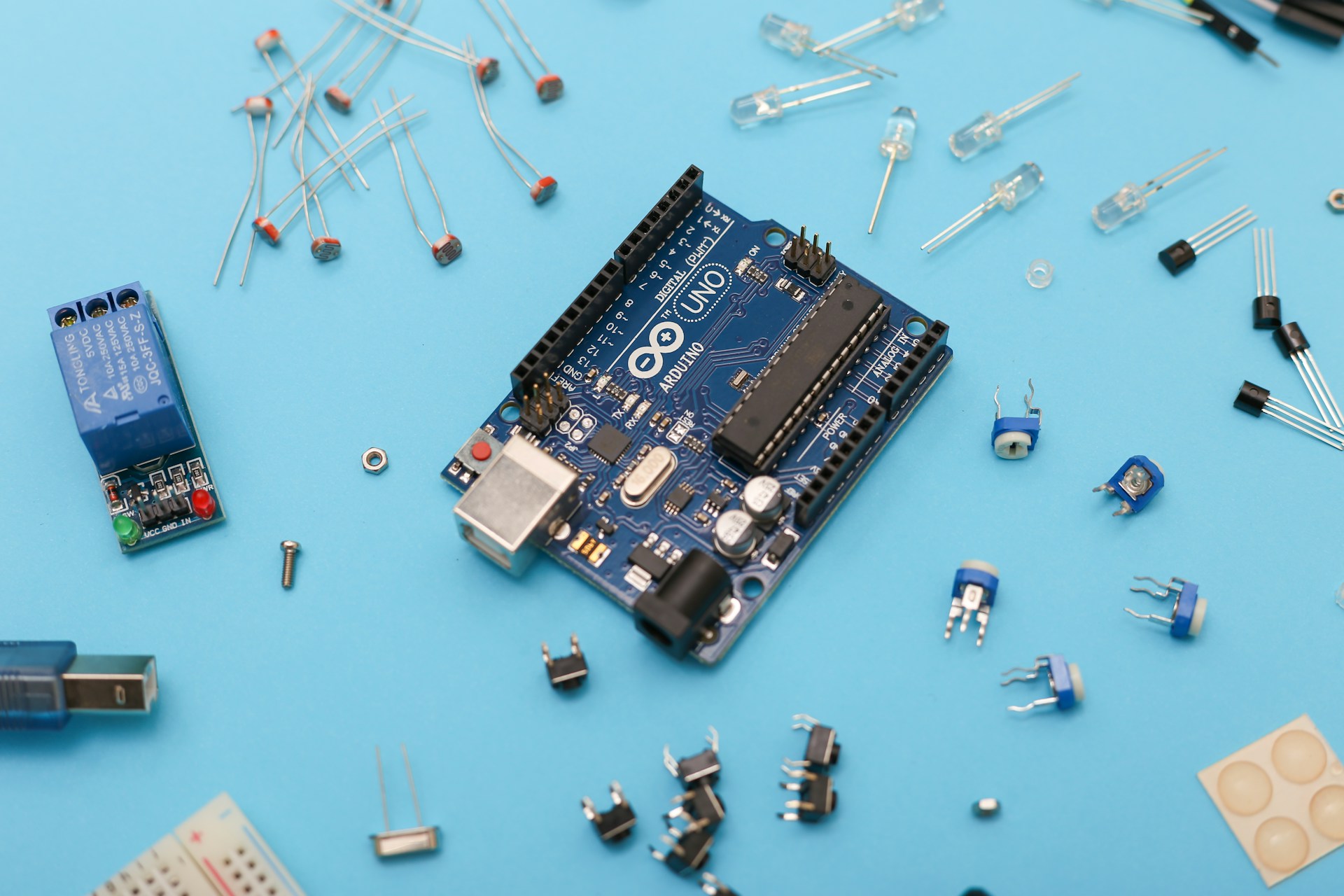
    When you wire up your first circuit with a simple LED, a resistor, and a battery, you have to face a reality that software rarely shows you: consequences are immediate and physical.

    Getty Images

    If you wire it incorrectly, the light simply stays off. There is no stack trace to read. There are no error messages or log files to check. The universe just refuses to cooperate. You have to use first principles to figure out why.

    This teaches a level of debugging patience that no coding bootcamp can match. You learn to form a hypothesis, test it, and isolate variables. You have to accept that the problem is almost never where you first thought it was. While this is how we debug software too, the feedback loop in electronics is so direct and unforgiving that the lesson sticks.

    Hardware is also incredibly humbling. Code is easy to change. You can refactor it or hit undo whenever you want. A poorly done solder joint is just a poorly done solder joint. Hardware teaches you that some decisions have actual weight. It encourages you to think before you act rather than just clicking and iterating forever.

    When Code Meets Physical Reality
    If you have ever written firmware, you have felt that strange sensation of code directly controlling the world. A variable does not just store a number. It determines if a motor spins or if a sensor takes a reading.

    This experience changes how you view software. You realize that every program you have ever written has always been talking to hardware. You just had enough layers of abstraction in the way that you never felt the conversation happening.

    Understanding electronics closes that gap. It turns you into a developer who sees memory as a physical constraint rather than an infinite resource. You start to see timing as a physical reality instead of just a performance metric. Most importantly, you start to see failure as the default state of matter rather than just an edge case.

    Becoming a More Honest Developer
    There is an old engineering saying about knowing the limits of your tools.

    Developers who do not understand electronics often treat the machine as if it is infinitely reliable and fast. They see it as pure logic that exists outside of physics. This is why they are so surprised when hardware fails or when latency becomes a physical problem.

    The “honest” developer carries a more accurate model of the world. They know the machine is a physical object. It is subject to heat, interference, voltage drops, and simple wear and tear. They design their systems differently because of this. They are more defensive and more humble because they respect the reality that their code lives in.

    The circuit was always there underneath your code. Most people just never bother to look. Those who do look will never think about software the same way again.