
AI coding agents are only as consistent as the instructions they load. Claude Code’s skills are the cleanest way I’ve found to package “how we do things here” so the agent actually follows it. Here’s how they work and how to write ones that get picked up.
What a skill is
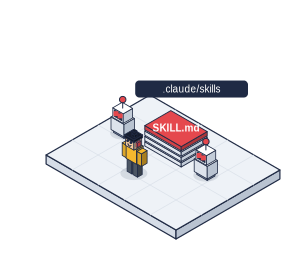
A skill is a folder with a SKILL.md file: a short piece of Markdown with a name, a description, and instructions. Claude reads the name and description of every available skill, and loads the full instructions when a task matches. That means you can have many skills without stuffing all of them into every conversation.
Where skills live
- Project skills:
.claude/skills/<skill-name>/SKILL.mdin your repository: shared with everyone who clones it. - Personal skills:
~/.claude/skills/<skill-name>/SKILL.md, yours across every project.
A skill folder can also hold supporting files (templates, scripts, reference docs) that the instructions point to.
Anatomy of a SKILL.md
---
name: api-endpoint
description: Use when adding or changing a REST endpoint in this repo. Covers routing, validation with zod, error format and the required tests.
---

# Adding an endpoint

1. Put the route in `src/routes/<resource>.ts`.
2. Validate input with the shared zod schema in `src/schemas/`.
3. Return errors as `{ error: { code, message } }`.
4. Add a test in `tests/routes/` that covers one success and one validation failure.
The description is the trigger
The single most important line is the description. It’s what the agent uses to decide whether the skill applies. Write it like a routing rule:
- Start with “Use when…” and name the concrete situation.
- Include the words people actually type (“endpoint”, “migration”, “deploy”).
- Say what it covers, so the agent knows it’s the right one among several.
If a skill never fires, the fix is almost always the description, not the instructions.
Patterns that work
- One job per skill. “Database migrations” and “API endpoints” are two skills, not one.
- Checklists over essays. Numbered steps are followed more reliably than prose.
- Show the exact command.
npm run db:migrate -- --name add_usersbeats “run the migration script”. - Link, don’t paste. Point to
docs/style.mdinstead of copying it into three skills. - Version them with the code. Project skills in git get reviewed like any other change.
Common mistakes
- Vague descriptions (“Helpful coding tips”) that match everything and nothing.
- Giant skills that try to encode the whole engineering handbook.
- Instructions that contradict
CLAUDE.md, keep project-wide rules in one place and task-specific steps in skills.
Keeping multiple agents in sync
If your team uses more than one coding agent, the risk is two sets of rules drifting apart. I walked through keeping one source of truth for both Claude Code and Opencode in Syncing Opencode and Claude Code Skills. The same idea applies to any pair of tools: write the rule once, point every agent at it.
Why this matters for AI engineering teams
Skills turn tribal knowledge into something an agent, and a new teammate, can follow. That’s the same discipline that makes production AI systems dependable, which is the theme running through what an AI engineer in Toronto actually does.
FAQ
How is a skill different from CLAUDE.md?
CLAUDE.md holds always-on project context. Skills hold task-specific instructions that load only when relevant.
How many skills is too many?
There’s no hard limit, but every skill’s description competes for the agent’s attention. Prefer fewer, sharper skills.
Can skills run scripts?
A skill can tell the agent to run scripts stored alongside it, subject to your normal permission settings.